

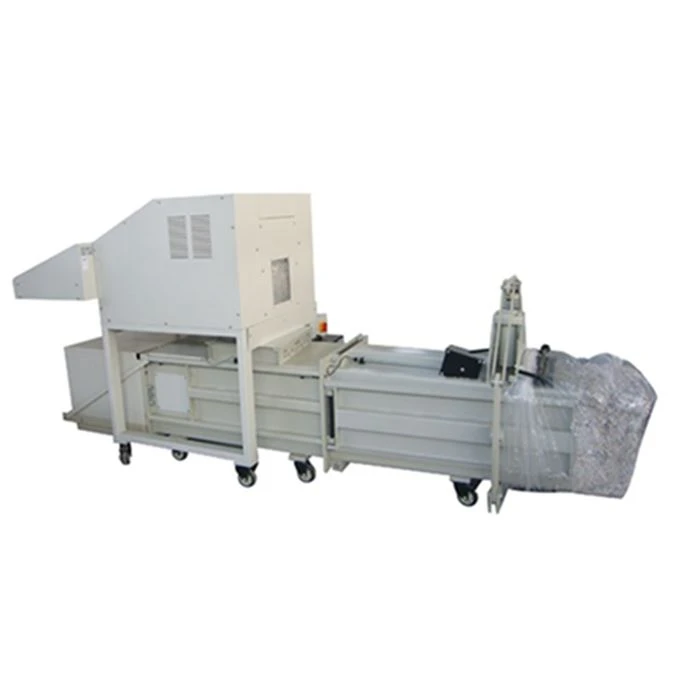
When it comes to managing large volumes of paper waste, a paper shredder and baler are essential tools for many businesses. These machines not only help in securely disposing of sensitive documents but also in compacting paper waste for easier storage and transportation. However, like any other equipment, paper shredders and balers can encounter common problems that may disrupt their operation. As a leading Paper Shredder And Baler supplier, we understand the challenges you may face and are here to guide you on how to troubleshoot these issues effectively.
Common Problems with Paper Shredders and Their Solutions
Jammed Shredder Blades
One of the most common problems with paper shredders is blade jams. This usually occurs when too much paper is fed into the shredder at once or when foreign objects are accidentally inserted. To resolve a jammed shredder:
- Turn off the machine: Always ensure the shredder is unplugged before attempting any repairs to avoid injury.
- Remove excess paper: Gently pull out any visible paper from the shredder opening. Be careful not to force it, as this can cause further damage to the blades.
- Use the reverse function: Most modern paper shredders come with a reverse function. Activate this function to help free the jammed paper. Repeat the process a few times if necessary.
- Check for foreign objects: Inspect the shredder blades for any foreign objects, such as staples, paper clips, or plastic. Use a pair of tweezers to carefully remove these objects.
- Clean the blades: Over time, paper dust and debris can accumulate on the shredder blades, causing them to jam. Use a clean, dry cloth to wipe the blades and remove any buildup.
Overheating
Paper shredders generate a significant amount of heat during operation, especially when used continuously for long periods. Overheating can cause the motor to shut down automatically to prevent damage. To prevent overheating and resolve this issue:

- Allow the shredder to cool down: If the shredder has overheated, turn it off and unplug it. Let it cool down for at least 30 minutes before using it again.
- Limit shredding time: To avoid overheating, follow the manufacturer's guidelines on the maximum amount of paper that can be shredded at once and the recommended shredding time. Take breaks between shredding sessions to allow the machine to cool down.
- Ensure proper ventilation: Make sure the shredder is placed in a well-ventilated area to allow air to circulate around the machine. Avoid blocking the ventilation openings.
Dull or Damaged Blades
Over time, the shredder blades can become dull or damaged, resulting in poor shredding performance. Signs of dull or damaged blades include uneven shreds, paper that is not fully shredded, or the shredder struggling to cut through paper. To address this issue:
- Sharpen the blades: Some paper shredders allow for blade sharpening. Refer to the manufacturer's instructions on how to sharpen the blades properly. If you are unsure, it is best to contact a professional technician.
- Replace the blades: If the blades are severely dull or damaged, they may need to be replaced. Contact the manufacturer or a qualified technician to obtain the correct replacement blades and install them.
Common Problems with Paper Balers and Their Solutions
Hydraulic System Issues
Paper balers rely on a hydraulic system to compress the paper into bales. Common hydraulic system problems include leaks, low hydraulic fluid levels, and malfunctioning valves. To troubleshoot hydraulic system issues:
- Check for leaks: Inspect the hydraulic hoses, fittings, and cylinders for any signs of leaks. If a leak is detected, tighten the fittings or replace the damaged hoses or seals.
- Check the hydraulic fluid level: Low hydraulic fluid levels can cause the baler to operate inefficiently or not at all. Check the hydraulic fluid reservoir and add fluid if necessary. Use the type of hydraulic fluid recommended by the manufacturer.
- Test the valves: Malfunctioning valves can prevent the hydraulic system from working properly. Use a pressure gauge to test the valves and ensure they are opening and closing correctly. If a valve is faulty, replace it.
Bale Tie Problems
Properly tying the bales is essential to ensure they remain intact during transportation and storage. Common bale tie problems include broken or loose ties, misaligned tie heads, and jammed tie mechanisms. To resolve bale tie issues:
- Replace broken or loose ties: If a tie is broken or loose, remove it and replace it with a new one. Make sure the ties are tightened securely.
- Align the tie heads: Misaligned tie heads can cause the ties to be applied unevenly or not at all. Use a wrench or pliers to adjust the tie heads and ensure they are properly aligned.
- Clear jammed tie mechanisms: If the tie mechanism is jammed, turn off the baler and unplug it. Remove any visible ties or debris from the tie mechanism and try to clear the jam manually. If the problem persists, contact a professional technician.
Electrical Problems
Electrical problems can cause the paper baler to malfunction or not operate at all. Common electrical problems include blown fuses, faulty switches, and damaged wiring. To troubleshoot electrical issues:
- Check the fuses: If the baler does not turn on, check the fuses to see if they have blown. Replace any blown fuses with the correct amperage.
- Test the switches: Use a multimeter to test the switches and ensure they are functioning properly. If a switch is faulty, replace it.
- Inspect the wiring: Look for any signs of damaged or frayed wiring. If wiring is damaged, repair or replace it.
Preventive Maintenance Tips
To minimize the occurrence of common problems with your paper shredder and baler, it is important to perform regular preventive maintenance. Here are some tips to help you keep your machines in good working condition:
- Read the manual: Familiarize yourself with the manufacturer's instructions and guidelines for operating and maintaining your paper shredder and baler.
- Clean the machines regularly: Remove paper dust, debris, and other contaminants from the shredder and baler on a regular basis. Use a clean, dry cloth or a vacuum cleaner to clean the machines.
- Lubricate the moving parts: Lubricate the moving parts of the shredder and baler according to the manufacturer's recommendations. This will help reduce friction and extend the lifespan of the machines.
- Inspect the machines regularly: Check the shredder and baler for any signs of wear and tear, such as loose belts, damaged blades, or leaking hydraulic fluid. Address any issues promptly to prevent further damage.
- Train your employees: Provide proper training to your employees on how to operate the paper shredder and baler safely and correctly. This will help prevent operator error and reduce the risk of damage to the machines.
Conclusion
Troubleshooting common problems with a paper shredder and baler requires a basic understanding of how these machines work and the ability to identify and address issues promptly. By following the tips and solutions outlined in this blog, you can effectively troubleshoot common problems and keep your paper shredder and baler running smoothly.
As a trusted Paper Shredder And Baler supplier, we offer a wide range of high-quality Industrial Paper Shredder And Baler products, including the SUPU Industrial Waste Paper Cardboard Document Paper Shredder & Baling Machine and Heavy Duty Paper Shredder And Baler. If you are experiencing any problems with your paper shredder or baler or are looking to purchase a new machine, please do not hesitate to contact us. Our team of experts is here to assist you with all your paper shredding and baling needs.
References
- Manufacturer's manuals for paper shredders and balers
- Industry best practices for paper shredder and baler maintenance and troubleshooting